

How to Access the Epstein Email Archive Using Jmail.world

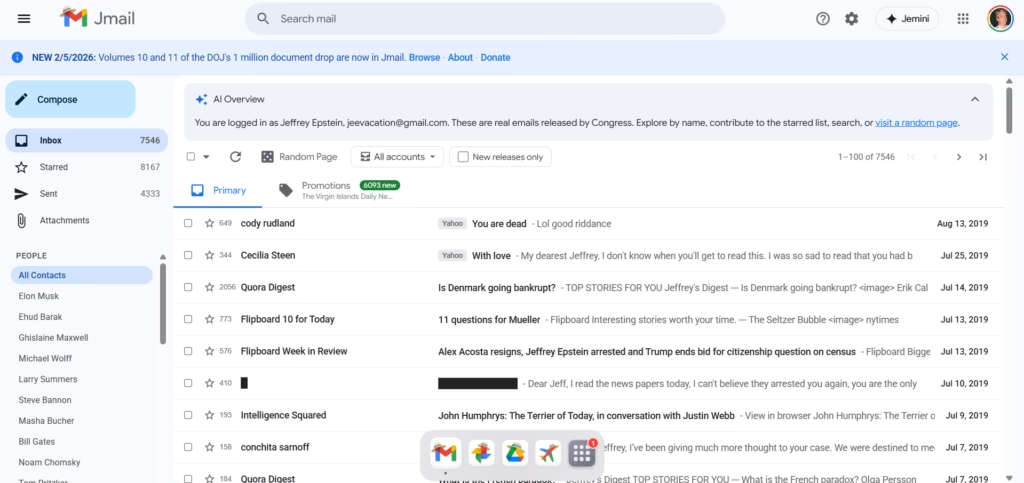
There is a website called Jmail.world that mirrors a large public email archive and presents it in a Gmail-like interface. If you are trying to browse, search, and track specific threads, Jmail.world makes it much easier than scrolling through raw document dumps.
This post explains how to access the archive, how to search properly, and how to document what you find so your readers trust your work.
Important note: This is a public archive interface. Always treat any information as “archival material” and cross-check context before drawing conclusions.
What is Jmail.world?
Jmail.world is a browser-based interface that looks and feels like Gmail. It lets you:
- browse email threads
- open messages and view replies
- search by people/keywords
- filter by release batches (when available)
It’s basically a “readable layer” over a large dataset.
Step-by-step: How to use Jmail.world

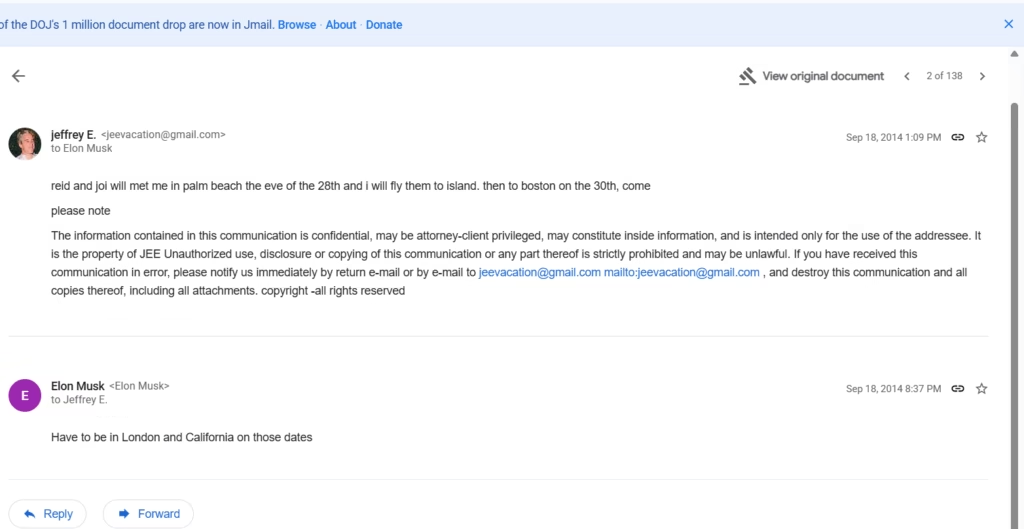
1) Open the site + explore the latest releases
Go to Jmail.world and start from the main inbox view.
If you want newer drops, look for an option like “New releases only” (if visible) to avoid older material.
2) Search like a pro (best trick)

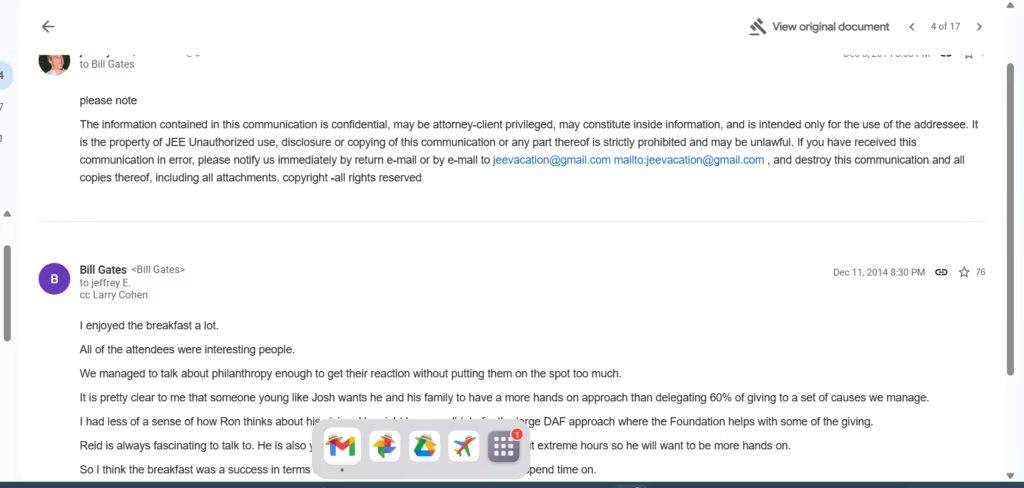
Use Gmail-style search patterns. Examples:
- from: name or email
- to: name or email
- before: date
- after: date
- Keywords:
meeting,island,plane,schedule,lunch, etc.
Example search ideas
from: Elon Muskto: Bill Gatesafter:2014/01/01 before:2015/01/01from: jeevacation@gmail.com
3) Save proof properly (so your post looks legit)
When you find something relevant:
- capture a screenshot showing date + sender + receiver
- include a short quote (don’t paste huge blocks)
- link readers back to the archive view / original document if available
This helps avoid “trust me bro” posts and makes your content shareable.
What I noticed in the interface (based on browsing)
From the threads shown in the Gmail-like layout, you can see:
- emails to well-known public figures appear as contact entries
- some threads are short (1–2 lines) while others have longer conversation context
- a lot of content is routine scheduling / meeting logistics (which is important context)
If you’re writing for a general audience, your job is to separate “logistics chatter” from “meaningful claims.”
🔹 AI Tools page – links to your tools section
https://riazhatvi.com/ai-tools/