
Riaz Hatvi
  • Services
  • Work
  • About
  • Process
  • AI Tools
    • QR Generator
    • Link Shortener
    • Speed Test
    • Privacy Policy
  • Blog
  • FAQ
Let's Talk
Services Work About Process
AI Tools
QR Generator Link Shortener Speed Test Privacy Policy
Blog FAQ Let's Talk →
Home › Blog › How to Access the Epstein Email Archive Using Jmail.world
Epstein Files

How to Access the Epstein Email Archive Using Jmail.world

· 2 min read · By Riaz Hatvi

How to Access the Epstein Email Archive Using Jmail.world

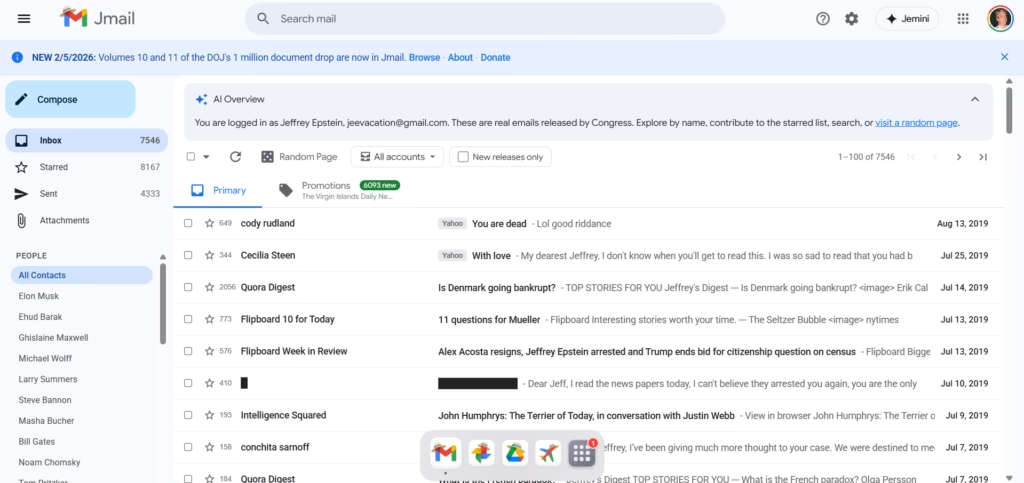
There is a website called Jmail.world that mirrors a large public email archive and presents it in a Gmail-like interface. If you are trying to browse, search, and track specific threads, Jmail.world makes it much easier than scrolling through raw document dumps.

This post explains how to access the archive, how to search properly, and how to document what you find so your readers trust your work.

Important note: This is a public archive interface. Always treat any information as “archival material” and cross-check context before drawing conclusions.


What is Jmail.world?

Jmail.world is a browser-based interface that looks and feels like Gmail. It lets you:

  • browse email threads
  • open messages and view replies
  • search by people/keywords
  • filter by release batches (when available)

It’s basically a “readable layer” over a large dataset.


Step-by-step: How to use Jmail.world
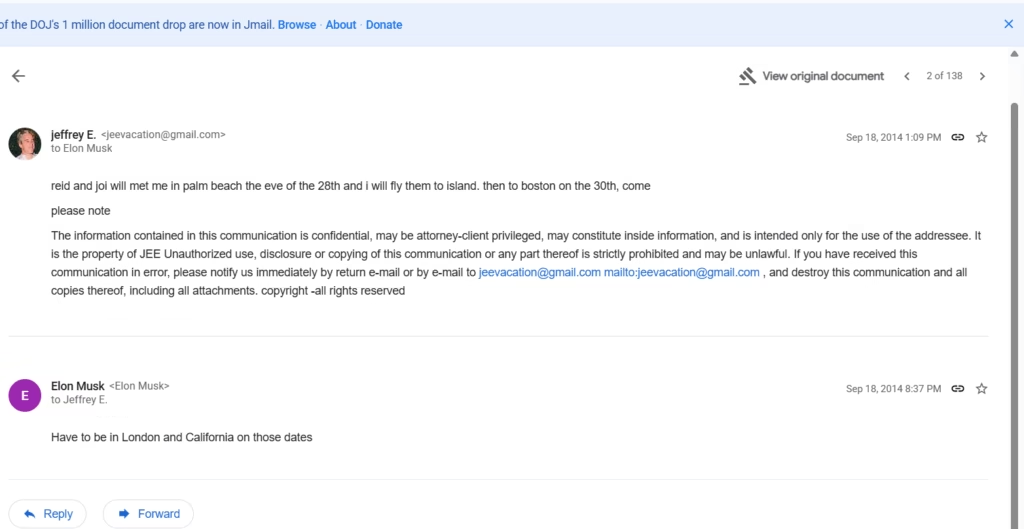
1) Open the site + explore the latest releases

Go to Jmail.world and start from the main inbox view.

If you want newer drops, look for an option like “New releases only” (if visible) to avoid older material.

2) Search like a pro (best trick)
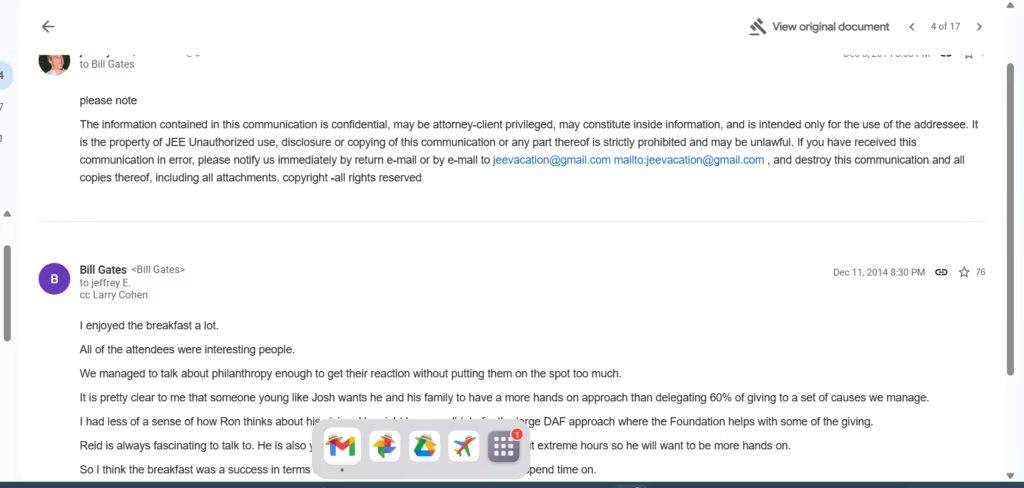
Use Gmail-style search patterns. Examples:

  • from: name or email
  • to: name or email
  • before: date
  • after: date
  • Keywords: meeting, island, plane, schedule, lunch, etc.

Example search ideas

  • from: Elon Musk
  • to: Bill Gates
  • after:2014/01/01 before:2015/01/01
  • from: jeevacation@gmail.com

3) Save proof properly (so your post looks legit)

When you find something relevant:

  • capture a screenshot showing date + sender + receiver
  • include a short quote (don’t paste huge blocks)
  • link readers back to the archive view / original document if available

This helps avoid “trust me bro” posts and makes your content shareable.


What I noticed in the interface (based on browsing)

From the threads shown in the Gmail-like layout, you can see:

  • emails to well-known public figures appear as contact entries
  • some threads are short (1–2 lines) while others have longer conversation context
  • a lot of content is routine scheduling / meeting logistics (which is important context)

If you’re writing for a general audience, your job is to separate “logistics chatter” from “meaningful claims.”

🔹 AI Tools page – links to your tools section
https://riazhatvi.com/ai-tools/

#Digital archives #Email archive search #Epstein Email Archive #Epstein Email Database #Epstein Emails #How to access Epstein emails #Jmail.world #Online research tools #Open data #Public email archives
RH
Riaz Hatvi

AI Automation Specialist — building n8n workflows, CRM systems (Zoho, GoHighLevel), API integrations, video pipelines, and custom business automations. Top Rated on Upwork with 100% Job Success and 24 completed jobs.

Get in touch
← Previous The Critical Data: 7 Essential Facts on Breast Augmentation Next → Understanding the Latest Changes in AI Automation Workflows
Available now
RH

Need this built?

I build AI automation systems, n8n workflows, and CRM integrations for serious businesses. Top Rated on Upwork.

Work with me

Recent Articles

The Best Guide to AI Automation Workflows in 2023
The Best Guide to AI Automation Workflows in 2023 23 May 2026
Why SpaceX’s IPO is a Major Game Changer for Investors
Why SpaceX’s IPO is a Major Game Changer for Investors 21 May 2026
The Best Guide to AI Automation Workflows in 2026
The Best Guide to AI Automation Workflows in 2026 19 May 2026
The Best Guide to AI Automation Workflows in 2026
The Best Guide to AI Automation Workflows in 2026 13 May 2026
Why AI Automation Workflows Are Transforming Businesses
Why AI Automation Workflows Are Transforming Businesses 11 May 2026

Services

AI Automation n8n Workflows CRM Systems API Integrations Video Pipelines Dashboards
Riaz Hatvi

AI Automation & Workflow Systems
Top Rated on Upwork · 100% Job Success

GitHub

Services

AI Automation Systems CRM & Sales Automation API Integrations Video & Content Pipelines Dashboards & Reporting WordPress Automation

Quick Links

Past Work About Process Upwork Blog FAQ Contact

Tools I Use

n8n Workflows Python & FastAPI OpenAI / GPT-4 Zoho CRM GoHighLevel Make.com Zapier Twilio ElevenLabs Stripe

© 2026 Riaz Hatvi. All rights reserved.

AI Automation Specialist · n8n Expert · Top Rated on Upwork · Gilgit, Pakistan

RH
Riaz Hatvi — Assistant
Usually replies instantly
Hi. Tell me what you want to automate, fix, or build, and I’ll point you in the right direction.
We use cookies to ensure that we give you the best experience on our website. If you continue to use this site we will assume that you are happy with it.